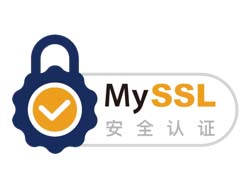


在这个充满敌意的互联网,我们的将网站进行动态安全评估,我们精心部署的HTTPS符合最佳安全实践,通过下面的代码将会为你的用户展示MySSL检测通过的安全签章和高评分的评级报告,提高客户对你网站的信任和支付信心,进而增加订单量,提升品牌价值。
这是由MySSL.com设计的四款MySSL页面底部的签章样式,一款是在一直悬浮在页面右下脚,其他三款是在页面的底部。你可以结合您的喜好和网站的风格添加你喜欢的签章样式。
使用方法
你只需要将代码添加在您网站的html页面的 body 标签中任意位置(建议添加在header或者footer位置),那么在你的网站上就会出现如图中效果展示一样的签章了。不过请注意:为了方便我们将样式用行内的形式写在了最外层的标签div中,您可以灵活的对该样式进行调整,该样式如果在移动端上显示的效果欠佳的话,您也可以将样式分离出来!
将代码中“您的域名”改为自己网站的域名!
样式一:
![图片[1]-为你的网站添加MySSL安全认证签章-去看你博客](https://www.7kanni.cn/wp-content/uploads/2018/10/2018102413185457.png)
- <div id=“cc-myssl-id”>
- <a href=“https://myssl.com/您的域名?from=mysslid”><img src=“https://static.myssl.com/res/images/myssl-id3.png” alt=“” style=“max-height:50px;display:block;margin:0 auto”></a>
- </div>
网站效果
![图片[2]-为你的网站添加MySSL安全认证签章-去看你博客](https://blog.myssl.com/content/images/2018/03/myssl-id3.png)
样式二:
![图片[3]-为你的网站添加MySSL安全认证签章-去看你博客](https://blog.myssl.com/content/images/2018/03/myssl-id-logo-2.png)
- <div id=“cc-myssl-id” style=“position: fixed;right: 0;bottom: 0;width: 65px;height: 65px;z-index: 99;”>
- <a href=“https://myssl.com/您的域名?from=mysslid”><img src=“https://static.myssl.com/res/images/myssl-id.png” alt=“” style=“width:100%;height:100%”></a>
- </div>
网站效果
![图片[4]-为你的网站添加MySSL安全认证签章-去看你博客](https://blog.myssl.com/content/images/2018/03/myssl-id-3.png)
样式三:
![图片[5]-为你的网站添加MySSL安全认证签章-去看你博客](https://blog.myssl.com/content/images/2018/03/myssl-id1-logo-1.png)
- <div id=“cc-myssl-id”>
- <a href=“https://myssl.com/您的域名?from=mysslid”><img src=“https://static.myssl.com/res/images/myssl-id1.png” alt=“” style=“max-height:50px;display:block;margin:0 auto”></a>
- </div>
网站效果
![图片[6]-为你的网站添加MySSL安全认证签章-去看你博客](https://blog.myssl.com/content/images/2018/03/myssl-id1.png)
© 版权声明
文章版权归作者所有,未经允许请勿转载。
THE END













- 最新
- 最热
只看作者